
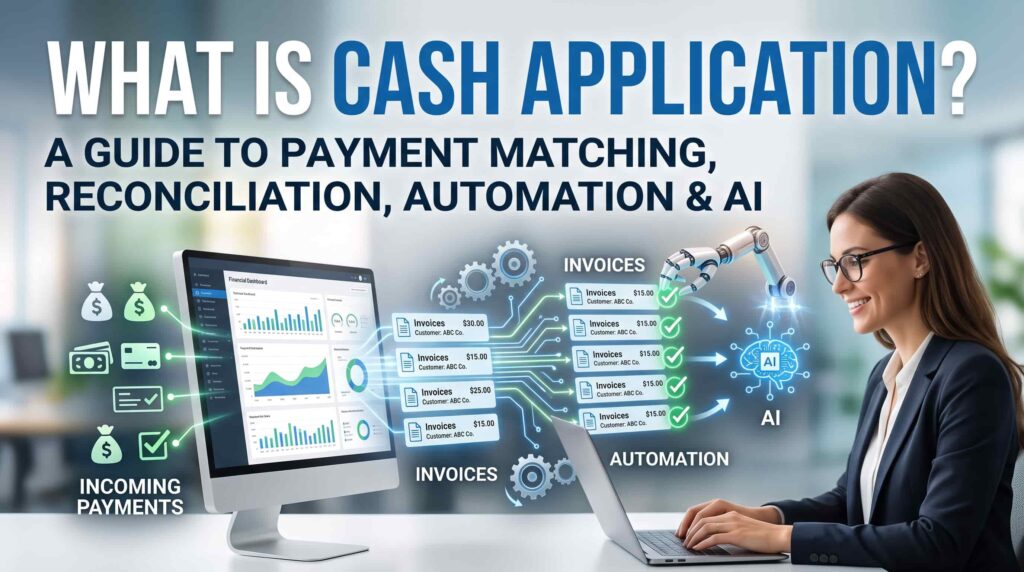
How finance teams can apply customer payments faster, reduce unapplied cash, improve reconciliation accuracy, and create a cleaner path from payment to financial close.
Intelligent Receivables. Faster Cash. Zero Friction.
What is cash application?
Cash application is the accounts receivable process of identifying an incoming customer payment, matching it to the correct customer account and open invoice or invoices, recording any deductions or differences, and posting the payment accurately in the ERP or accounting system.
In simple terms, receiving cash tells a business that money reached the bank. Applying cash explains who paid, what the payment covers, which invoices can be closed, and what still requires attention.
The process sounds straightforward when a customer pays one invoice in full and includes a clear invoice number. In practice, payments arrive through ACH, wire transfer, check, card, lockbox, payment portal, or other channels. Remittance details may arrive separately by email, PDF, spreadsheet, EDI file, or customer portal. One payment may cover multiple invoices, include a deduction, combine entities, or omit the information needed for a confident match.
Why cash application matters
Cash application is the point where collected money becomes usable, reliable accounts receivable information. A payment that sits unmatched in an unapplied cash account may be visible in the bank, but it does not correctly clear the customer’s open balance.
- Accurate customer balances: Paid invoices are closed promptly, preventing unnecessary collection calls and account holds.
- Lower unapplied cash: Payments do not remain in suspense simply because remittance information is missing or difficult to interpret.
- Better cash visibility: Treasury and finance leaders can distinguish received, applied, disputed, and unidentified cash.
- Faster financial close: Clean payment posting reduces the reconciliation backlog at period end.
- Improved customer experience: Customers are not asked to resend information or prove payment after funds have already been received.
- Stronger controls: Each match, adjustment, exception, and approval can be documented for audit and governance purposes.
How the cash application process works
- Capture incoming payments. Collect transaction data from bank accounts, lockboxes, card processors, payment portals, and other payment channels.
- Collect remittance information. Retrieve the customer’s explanation of what is being paid from emails, PDFs, spreadsheets, EDI, bank references, portals, or attached documents.
- Identify the customer and legal entity. Use payer name, bank account, virtual account, customer number, invoice reference, amount, currency, and historical behavior to determine the correct account.
- Match the payment to open invoices. Compare payment and remittance data with invoice numbers, amounts, due dates, purchase orders, credits, deductions, and open balances.
- Resolve differences and exceptions. Investigate partial payments, short payments, overpayments, duplicate payments, bank fees, withholding tax, foreign exchange differences, chargebacks, and unidentified cash.
- Post the payment. Apply the validated amount to the appropriate invoices and update the ERP or accounting system according to approval and tolerance policies.
- Reconcile and report. Confirm that bank receipts, customer ledgers, cash application records, and the general ledger agree, while maintaining a traceable record of unresolved items.
Payment-to-invoice matching: the core of cash application
Payment-to-invoice matching determines which receivables an incoming payment should clear. Matching logic generally progresses from exact, high-confidence matches to increasingly complex combinations.
- One payment to one invoice: The payer, invoice number, currency, and amount align.
- One payment to many invoices: A single remittance covers a group of invoices—for example, one wire transfer that clears five open invoices for the same customer.
- Many payments to one invoice: The customer pays an invoice in installments or through different channels—for example, two partial ACH payments in the same month that together clear one invoice.
- Partial or short payment: The amount is lower because of a dispute, deduction, withholding tax, bank charge, or agreed payment plan.
- Overpayment or payment on account: Funds exceed the identified open amount or are intended as a deposit or credit.
- Payment without remittance: The bank transaction lacks a useful invoice reference, requiring other evidence and historical context.
A rules-only process performs well when references and amounts are exact. It becomes less reliable when customers abbreviate invoice numbers, aggregate invoices, use parent-company payer names, or send remittance separately. These are the situations in which intelligent matching and structured exception handling create the most value.
Cash application vs. cash reconciliation
Cash application and cash reconciliation are related, but they are not identical.
| Area | Primary purpose | Typical question | Typically owned by |
|---|---|---|---|
| Cash application | Match a customer payment to the correct account and invoice or invoices, then post it. | What did this customer pay? | AR / cash application team |
| Cash reconciliation | Verify that payment records, bank activity, AR subledger entries, and the general ledger agree. | Do all records tell the same story? | AR / treasury or controller’s team |
A strong operating model connects both activities. The application decision creates a payment-to-invoice trail; reconciliation tests whether that trail agrees across systems and identifies timing differences, write-offs, fees, deductions, or posting errors.
What causes unapplied cash and reconciliation delays?
- Missing, late, or incomplete remittance advice
- Invoice numbers entered incorrectly or truncated in payment references
- Payments made by a parent company, affiliate, factor, or third party
- One payment covering multiple invoices, business units, currencies, or legal entities
- Short payments, deductions, credit memos, returns, chargebacks, and disputes
- Bank fees, withholding tax, foreign exchange differences, and tolerance issues
- Disconnected bank, lockbox, email, portal, ERP, and spreadsheet data
- Manual queues without clear ownership, aging, escalation, or approval rules
These problems are not simply data-entry issues. They are context problems: the information required to make a decision exists, but it is fragmented across documents, systems, and communications.
Manual, rules-based, and AI-powered cash application
| Approach | Strength | Limitation | Best fit |
|---|---|---|---|
| Manual | Human judgment | Slow, inconsistent, difficult to scale | Low-volume or highly unusual cases |
| Rules-based | Fast exact matching | Brittle when data is missing or variable | Stable formats and predictable references |
| AI-powered | Uses context across structured and unstructured data | Requires controls, confidence thresholds, and oversight | High-volume, multi-source, exception-heavy AR |
How AI improves cash application
AI-powered cash application combines deterministic accounting controls with models that interpret documents, recognize patterns, and rank likely matches. The objective is not to remove control from finance. It is to automate high-confidence decisions and give people better evidence for the exceptions that genuinely require judgment.
- Intelligent remittance capture: Extract invoice numbers, amounts, deductions, customer references, and other payment details from emails, PDFs, spreadsheets, bank files, and portals.
- Entity and payer identification: Connect bank payer names and accounts with customer master records, including aliases, parent-child relationships, and known third-party payers.
- Context-aware invoice matching: Evaluate invoice references, payment amounts, currency, dates, purchase orders, credits, and prior matching patterns instead of relying on one exact field.
- Combination matching: Test plausible one-to-many and many-to-one invoice combinations without forcing analysts to search manually.
- Exception classification: Separate genuine disputes, deductions, overpayments, fees, unidentified cash, and missing-remittance cases into the right workflows.
- Confidence-based controls: Auto-post only matches that satisfy policy and confidence thresholds; route ambiguous items for approval with supporting evidence.
- Continuous improvement: Learn from approved resolutions, customer behavior, and recurring exceptions while preserving rules and governance boundaries.
- Auditability: Record the source data, proposed match, confidence, action, approval, and posting result for every transaction.
How ARSYNC approaches AI cash application
AR Sync Cash Application™ is designed to match payments to invoices, reduce unapplied and unmatched cash, improve reconciliation accuracy, and accelerate financial close. It operates as part of a broader accounts receivable intelligence layer rather than as an isolated matching utility.
That broader context matters. A cash application exception may originate upstream in a purchase order, contract term, invoice error, deduction, or dispute. By connecting bank data, invoices, contracts, purchase orders, communications, customer history, and ERP records, ARSYNC can help finance teams identify both the correct match and the reason a straightforward match failed.
The ARSYNC intelligent cash application architecture — in practical terms
The ARSYNC architecture follows a source-to-decision-to-outcome model. It connects to the data a finance team already uses, creates a cash application intelligence layer above that information, and returns controlled recommendations or postings to the operating workflow. The concept is modular, so an organization can use the connection method that fits its environment rather than replace its ERP or build a new user interface.
1. Connect the existing cash application data
The intelligence layer can bring together customer and open-invoice data from ERP and accounting systems; transaction details and daily balances from bank portals; payments and remittance data from lockbox providers; ACH, card, and online-payment information from payment gateways; remittance advice from PDF, email, EDI, spreadsheet, scanned document, or mixed formats; and customer emails containing notifications, remittance attachments, disputes, credits, or deductions.
Connections may use database views or links, flat files such as CSV and Excel, ODBC or JDBC, APIs, SFTP or file transfer, and scheduled reports or exports. This lets the implementation work with the organization’s available data and control model.
2. Convert fragmented inputs into usable remittance intelligence
AI-assisted extraction combines document understanding, language models, and OCR to identify payer names, invoice references, amounts, currencies, deductions, and supporting context from structured and unstructured sources. This step turns remittance information that would otherwise remain trapped in inboxes and attachments into data that matching logic can use.
3. Match, analyze, and prioritize
The matching layer can combine exact rules, fuzzy matching, and machine-learning signals. It evaluates payment-to-invoice candidates, identifies short payments and unapplied cash, detects possible duplicates, analyzes overpayments and underpayments, and assigns confidence and reason codes. High-confidence items can move toward automated posting; ambiguous items enter an exception workflow with the relevant evidence attached.
4. Keep people in control of exceptions and posting
Auto-posting recommendations should operate within approved thresholds, tolerances, and segregation-of-duties policies. Exceptions can be routed by category, value, age, customer, or risk to an approval workflow or collector workbench. This allows specialists to focus on the cases that need commercial or accounting judgment instead of researching every payment manually.
5. Improve finance outcomes without replacing core systems
The intended outcome is higher straight-through processing, faster cash application and bank reconciliation, lower unapplied and aged cash, reduced manual effort, better cash visibility, and improved working-capital control. These benefits should be measured against the organization’s own baseline rather than treated as a universal performance guarantee.
Security is part of the operating design. ARSYNC can use secure, read-only access to source systems and work from existing data, reports, and approved integrations, minimizing disruption to current ERP, accounting, banking, lockbox, and payment environments.
- End-to-end context across invoices, payments, remittance, disputes, deductions, and supporting documents
- AI remittance extraction using document intelligence, language models, and OCR
- Exact, fuzzy, and machine-learning payment-to-invoice matching
- Detection of short payments, duplicate payments, unapplied cash, overpayments, and underpayments
- Integration alongside existing ERP, accounting, bank, lockbox, payment-gateway, and customer-communication systems
- Human-in-the-loop approvals for material or low-confidence decisions
- Traceable actions and explainable recommendations for governance
- Secure, read-only connection options designed for minimal change to core systems
See ARSYNC on your own AR data
Curious how much of your payment volume could post straight-through? A short working session can size your current unapplied cash and exception backlog.
Schedule an ARSYNC demo →
How to improve your cash application and reconciliation process
- Measure the current baseline. Quantify payment volume, auto-match rate, unapplied cash value, exception rate, time to apply cash, aging of unmatched items, and manual effort.
- Standardize data intake. Bring bank files, lockbox data, remittance emails, portal downloads, spreadsheets, and ERP open-item data into a controlled workflow.
- Improve remittance quality. Encourage customers to include invoice references and provide consistent remittance channels, while recognizing that internal automation must still handle imperfect behavior.
- Build a matching hierarchy. Start with exact matches, then apply approved tolerances, customer-specific logic, combination matching, and contextual AI suggestions.
- Design exception categories and ownership. Route deductions, disputes, credits, overpayments, unidentified cash, and missing remittance to accountable owners with service levels and escalation paths.
- Use confidence-based automation. Define which transactions may post automatically, which require review, and which must remain blocked pending evidence.
- Integrate posting and reconciliation. Avoid creating a new automation silo; ensure validated matches update the system of record and remain traceable to bank activity and the general ledger.
- Review performance continuously. Track match accuracy, false matches, manual overrides, exception root causes, and customer-specific patterns to improve rules and models.
Cash application KPIs to track
- Straight-through processing or auto-post rate: Percentage of payments posted without manual intervention.
- First-pass match rate: Percentage matched correctly on the first attempt.
- Unapplied cash value and percentage: Cash received but not allocated to open invoices.
- Average time to apply cash: Time between receipt in the bank and validated posting in the ERP.
- Exception rate and exception aging: Volume and age of transactions requiring investigation.
- Manual touches per payment: Number of human actions required from receipt to posting.
- Match accuracy and override rate: Quality of automated decisions and frequency of human correction.
- Period-end reconciliation backlog: Outstanding items that delay close or require manual adjustment.
Do not optimize the auto-post rate in isolation. A high rate achieved through loose controls can create incorrect customer balances and downstream rework. The better goal is a high rate of accurate, policy-compliant, auditable straight-through processing.
What to look for in cash application software
- Support for your payment channels, bank formats, lockboxes, remittance sources, currencies, and legal entities
- Matching across one-to-one, one-to-many, many-to-one, partial, short-pay, and overpayment scenarios
- Extraction from unstructured remittance documents and communications
- Configurable tolerances, approval policies, write-off controls, and segregation of duties
- Confidence scores with clear evidence explaining why a match is recommended
- ERP integration that preserves the system of record
- Exception queues with owner, reason, priority, aging, and escalation
- Complete audit trail, role-based access, security, and deployment options appropriate to the business
- Operational reporting for match rates, unapplied cash, root causes, and close readiness
Frequently asked questions
What is cash application in accounts receivable?
Cash application is the process of matching incoming customer payments to the correct customer account and invoice or invoices, resolving differences, and posting the payment in the accounting or ERP system.
What is invoice matching in cash application?
Invoice matching compares a payment and its remittance information with open invoices to determine which receivables should be cleared. Matching may be one-to-one, one-to-many, many-to-one, partial, or deduction-based.
What is unapplied cash?
Unapplied cash is money received from a customer that has not yet been allocated to a specific open invoice or correctly posted to the intended account.
What is the difference between cash application and reconciliation?
Cash application decides where a customer payment belongs and posts it. Reconciliation verifies that bank records, payment records, the AR subledger, and general-ledger entries agree.
How does automated cash application work?
Automated cash application collects payment and remittance data, identifies the payer, matches payments to open invoices using rules and contextual logic, posts high-confidence items, and routes exceptions for review.
How does AI improve payment matching?
AI can interpret inconsistent remittance formats, recognize customer and invoice patterns, evaluate multiple matching signals, test invoice combinations, and propose evidence-backed matches when exact rules fail.
Can cash application automation reduce DSO?
It can support lower DSO by posting payments faster, keeping customer balances current, restoring available credit, and helping collections teams focus on genuinely unpaid invoices. Cash application alone, however, cannot fix upstream invoice errors or slow customer approval processes.
Can cash application be fully automated?
Many clean payments can be processed without manual intervention. Complex deductions, disputes, material write-offs, ambiguous payer identities, and low-confidence matches should follow controlled review and approval workflows.
Turn received cash into reconciled cash
Cash application should not end with money sitting in the bank and an analyst searching through emails. A modern process connects payment receipt, remittance capture, invoice matching, exception resolution, posting, and reconciliation in one controlled flow.
ARSYNC helps finance teams automate cash application, reduce unapplied payments, and improve reconciliation accuracy while preserving the controls, approvals, and audit trail required for enterprise finance.
Ready to improve payment matching and cash reconciliation? Schedule an ARSYNC demo to assess your current exception backlog, matching process, and automation opportunity.